


Keeping QuickBooks Bank Transactions Current When Automatic Feeds Fall Short
Have you ever logged into QuickBooks Online (QBO) and noticed your bank accounts are not synching properly? Or the system is unable to download the transactions because of some temporary error? I think every accountant has run into this problem at least once. Let’s bring up another scenario. You connect your bank account to QBO for the first time and it only downloads approximately 90 days of past transactions. However, you need to download 6 months of past transactions.
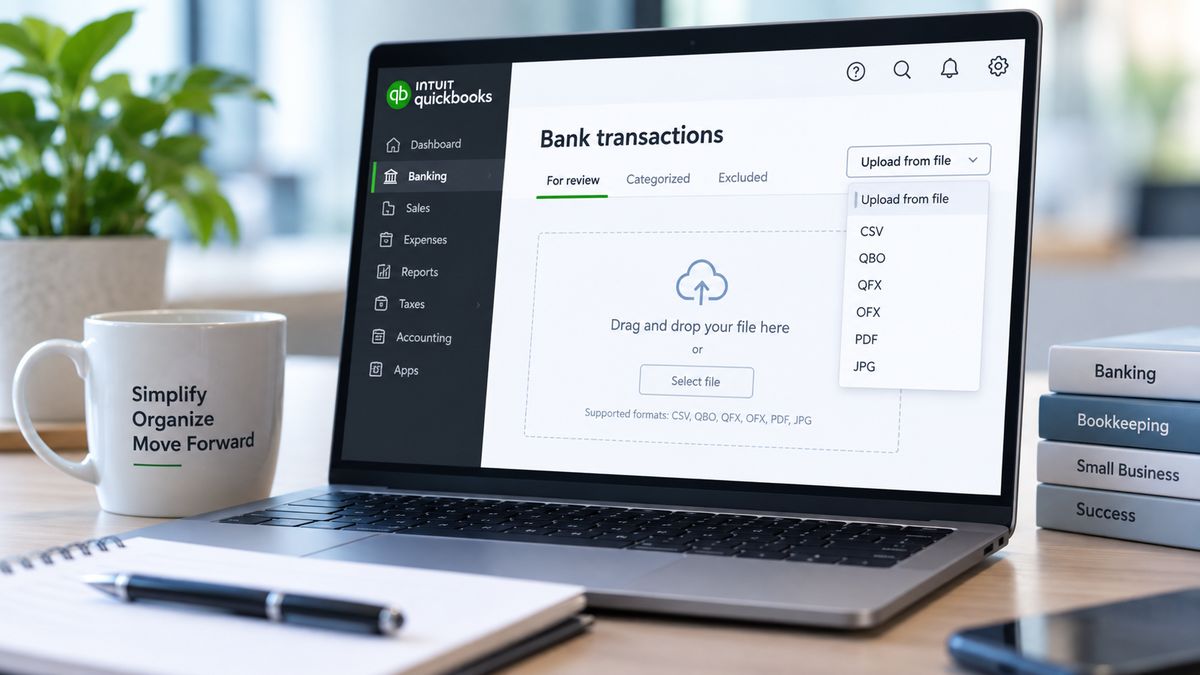
Both scenarios mentioned above have an alternative solution. Obviously, connecting your bank to QBO is the most efficient way to pull bank transactions into your bank feed, however, sometimes a manual upload can serve as a workaround when the bank feeds fail. Within the bank transactions page, there is an option to “upload from file” or manually upload bank transactions by using a file. These files include; PDF, JPG, CSV, QBO, and other formats. Each online banking experience differs, but most platforms give users the option to download bank activity in one of these file formats. This option typically is available on the bank’s transactions page. Here are a few screenshots of various bank platforms and what users can expect to see when trying to download transactions:
Image 1:
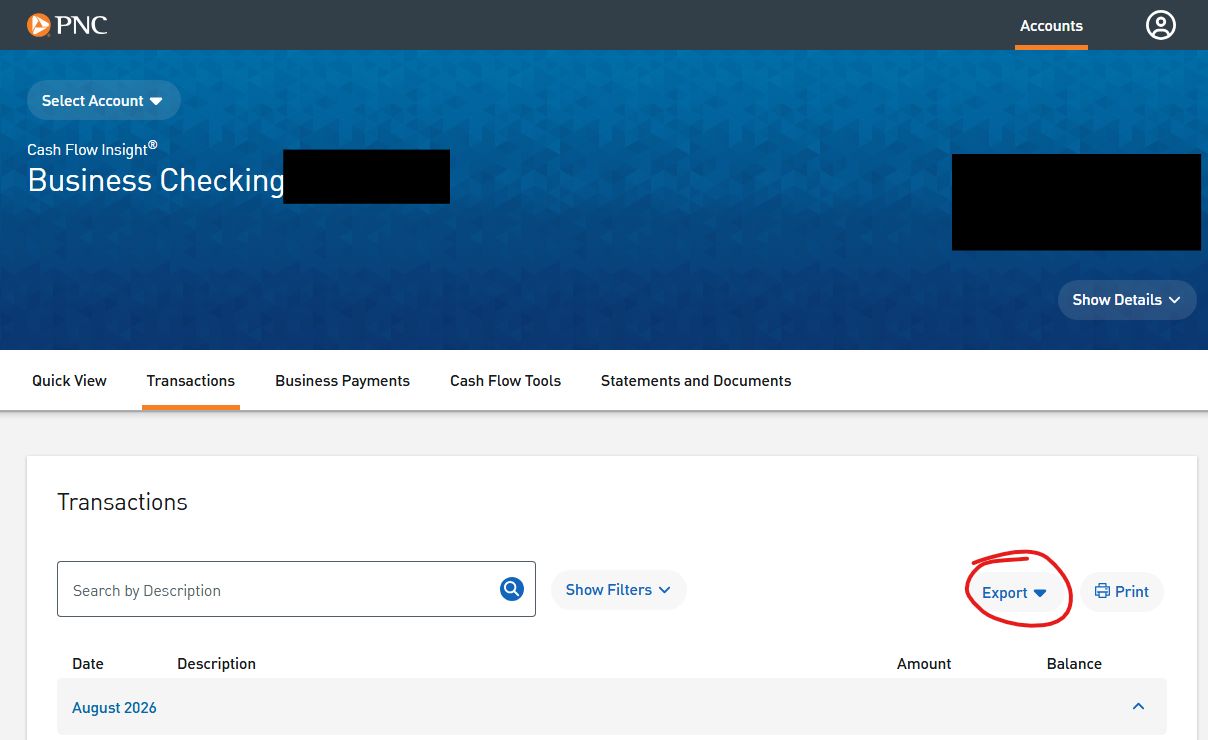
Image 2:
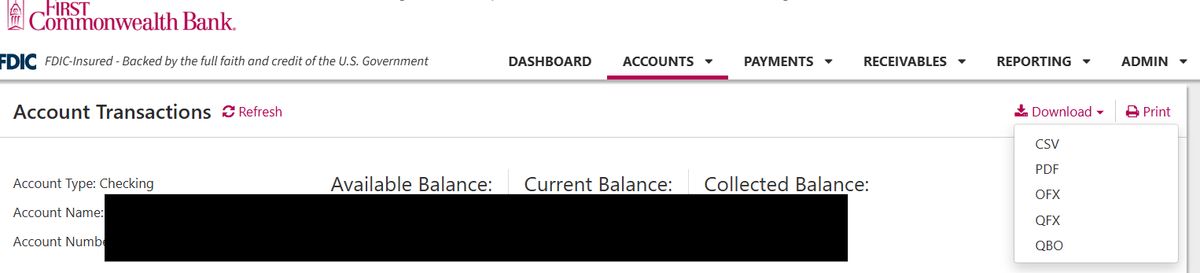
Image 3:
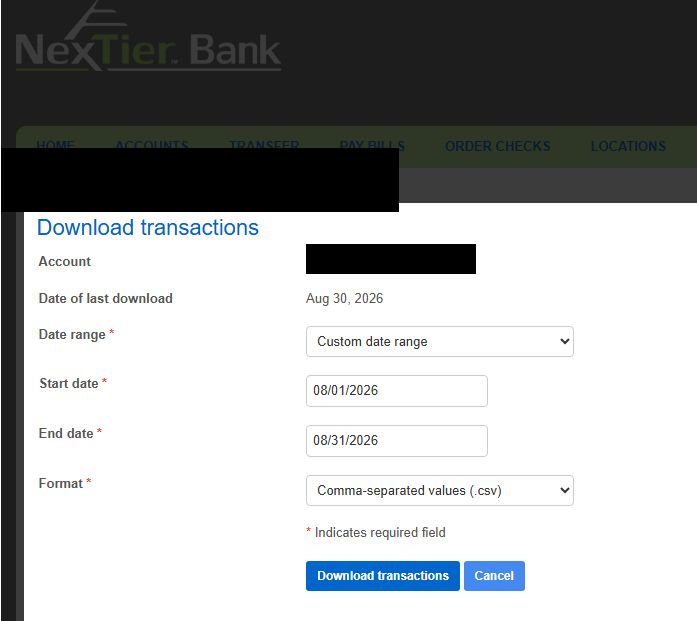
If available, the best file type to use is the Quickbooks file (“.QBO”) as it is imports directly without any manual mapping or formatting errors. These manual files allow you to customize exactly what data and date range you want to pull into your feed. This can be incredibly useful if you need to fill in “gaps” where the bank feed may have missed some transactions.
Once the transactions are uploaded, bank rules are applied so you can quickly categorize these transactions as you normally would. After spending a few extra minutes obtaining and uploading the file, you can have your bank feed completely up to date. Thus, if you have months of transactions to catch up on or if you are experiencing temporary errors in your feed, this feature can be a needed fix. You can stay up to date and keep working even when the banks don’t!